Skip to content
Need Help, Talk to Expert :
+1 800-521-2981
info@meraparivariptv.com
Home
About Us
Services
IPTV Streaming Canada
Desi TV Channels Canada
Punjabi IPTV Canada
Best IPTV for Tamil Channels
Indian TV Cannels Canada
Indian TV channels USA
Best IPTV for Telugu Channels
Marathi IPTV Channels
Malayalam IPTV Channels
Gujarati IPTV Channels
Pakistani IPTV Channels
Sports IPTV USA
Plans
Contact Us
Home
About Us
Services
IPTV Streaming Canada
Desi TV Channels Canada
Punjabi IPTV Canada
Best IPTV for Tamil Channels
Indian TV Cannels Canada
Indian TV channels USA
Best IPTV for Telugu Channels
Marathi IPTV Channels
Malayalam IPTV Channels
Gujarati IPTV Channels
Pakistani IPTV Channels
Sports IPTV USA
Plans
Contact Us
Buy Now
How to use
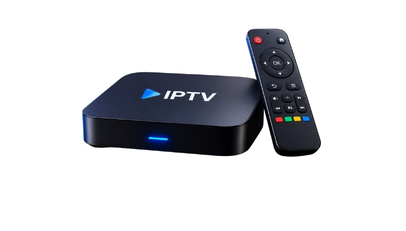
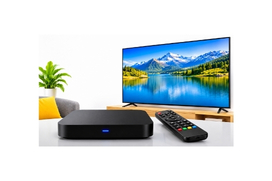
Dream IPTV BOX
Go to the Market Icon.
Click on (DOL2) Dream Online 2 App.(Download this App)
Press Back Key Once, Then go to MY Apps.
Click on DOL2, MAC ID is there on the Screen.
Portal Nickname, Type Company Name.
Portal URL (Company Portal URL).
Now Press Back Key to Remove the Key Board.
Then Press OK.
Now Click on Connect.
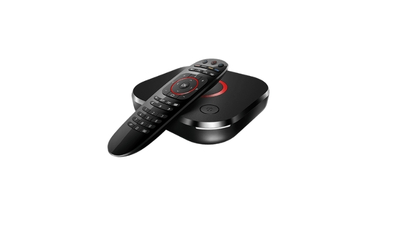
MAG Box
Go to the Market Icon.
Click on (DOL2) Dream Online 2 App.(Download this App)
Press Back Key Once, Then go to MY Apps.
Click on DOL2, MAC ID is there on the Screen.
Portal Nickname, Type Company Name.
Portal URL (Company Portal URL).
Now Press Back Key to Remove the Key Board.
Then Press OK.
Then Press OK. Now Click on Connect.
Formular Box
Go to Apps.
Click on Software Updates.
Go to My TV Online 2.
Share MAC Address (It is Available on Right Side Top Corner of the Screen).
Then go to Add Portal.
Portal URL (Type Company Portal URL).
Then Click on Connect.
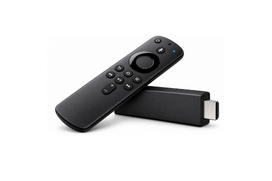
Fire Stick
Go to Settings
My Fire TV
Go to Developer options and Turn ON “Apps from Unknown Sources”
Turn ON "ADB Debugging".
Go back to the main menu and select the search icon
Search for “Downloader” and download the app.
Open it and type in this URL> https://bit.ly/3kyuZBf.
Click on GO.
Then Click on Configure application.
Go to profile.
Hit ok on new profile.
Hit ok on portal settings.
Hit ok on portal URL.
Delete the existing URL and enter (Company Portal URL)
Click on Next then OK.
Go back Once and hit ok on STB configuration.
Share the MAC address 00:1a:79:xx:xx:xx to get the services activated.
SMART STB For Smart TV
Go to the Search option and Type there SMART STB.
Instal=>Open=>OK=>System Setting=>Device Info.
Share MAC Address.
Scrol Down and Click on Start App Trial.
List Item #1You will Get Your 10 Digit Activation Code.
Put this Code on your SMART TV APP.
you will get a Popup to finish the order on SMART STB Website.
Fillup the Details and Save it.
Now go to the System Settings.Now go to the System Settings.
Go to the Portals=>Default Portal and Select Portal 1 URL
Type there (Company Portal URL).
Save the URL By Back Key=>It will Show you on the Screen Successfully Saved.
Press Back key Once and go to the Restart Portal.
STB EMU Pro For Android TV
Go to Search Option.
Search for “Downloader” and download the app.
Open it and type in this URL> https://bit.ly/3kyuZBf .
Click on GO.
Install STB EMU Pro.
Then Click on Configure application.
Go to profile.
Hit ok on new profile.
Hit ok on portal settings.
Hit ok on portal URL.
Delete the existing URL and enter (Company Portal URL)
Click on Next then OK.
Go back Once and hit ok on STB configuration.
Share the MAC address 00:1a:79:xx:xx:xx to get the services activated.
Fire Stick
Go to the Market Icon.
Click on (DOL2) Dream Online 2 App.(Download this App)
Press Back Key Once, Then go to MY Apps.
Click on DOL2, MAC ID is there on the Screen.
Portal Nickname, Type Company Name.
Portal URL (Company Portal URL).
Now Press Back Key to Remove the Key Board.
Then Press OK.
Now Click on Connect.
Fire Stick
Go to the Market Icon.
Click on (DOL2) Dream Online 2 App.(Download this App)
Press Back Key Once, Then go to MY Apps.
Click on DOL2, MAC ID is there on the Screen.
Portal Nickname, Type Company Name.
Portal URL (Company Portal URL).
Now Press Back Key to Remove the Key Board.
Then Press OK.
Then Press OK. Now Click on Connect.
Fire Stick
Go to Apps.
Click on Software Updates.
Go to My TV Online 2.
Share MAC Address (It is Available on Right Side Top Corner of the Screen).
Then go to Add Portal.
Portal URL (Type Company Portal URL).
Then Click on Connect.
←
WhatsApp